Have you ever sent a message from your iPhone and suddenly noticed the text bubble turned green instead of blue? It can feel confusing, especially if you’re used to seeing those blue iMessage bubbles.
Many iPhone users wonder if something is wrong with their phone, their internet, or even their contact. The truth is much simpler.
After years of using iPhones and following messaging trends, I’ve noticed that green texts often confuse new users the most. Let’s break down what green text on iPhone really means and why it happens.
What Does Green Text Mean on iPhone? (Direct Answer)
Green text on an iPhone means the message was sent using SMS or MMS instead of iMessage. This usually happens when the recipient is not using an iPhone, when iMessage is turned off, or when there is no internet connection available. Green messages are sent through your cellular network instead of Apple’s internet-based iMessage system.
Meaning & Definition
The green text meaning on iPhone is simple.
When your message bubble appears green, it means the message was sent through SMS (Short Message Service) or MMS (Multimedia Messaging Service) rather than iMessage.
Primary Meaning
Green text indicates that the message was sent as a standard text message through your mobile carrier.
Secondary Meanings
Sometimes green texts can also mean:
- The recipient is using an Android phone
- iMessage is disabled
- Internet connection is unavailable
- Apple’s iMessage servers are temporarily down
Chat Example
Example 1:
Friend:
“Hey are we meeting tonight?”
You:
“Yes, see you at 7!”
If the bubbles are green, it means the conversation is using SMS instead of iMessage.
Example 2:
You send a photo but the bubble is green — this means it was sent as MMS.
Does Green Text Mean Blocked
Green text on an iPhone does not automatically mean that someone has blocked you. In most cases, green messages indicate that your phone is sending SMS or MMS messages instead of iMessage. This can happen if the recipient is using an Android device, has iMessage turned off, or has no internet connection. While blocked contacts may also cause messages to appear differently, green text alone is not reliable proof of being blocked. Checking other signs can provide a more accurate answer.
Why Are My Messages Green When They Should Be Blue
Blue messages on iPhone indicate iMessages, while green messages represent standard SMS or MMS texts. If your messages suddenly turn green, iMessage may be disabled on your device or the recipient’s device. Poor internet connectivity can also force messages to send as SMS. Temporary Apple server issues may affect iMessage functionality as well. Verifying your iMessage settings and network connection often resolves the problem.
Why Are My Texts Green When Texting Another iPhone
Texts sent between two iPhones are usually blue because they use Apple’s iMessage service. If your texts appear green, one of the devices may have iMessage disabled or may not be connected to the internet. Software glitches, carrier settings, or Apple service interruptions can also trigger green messages. In some situations, the recipient recently switched devices and has not activated iMessage correctly. Checking both devices can help identify the cause.
Green Text Meaning On Iphone Reddit
Many Reddit users explain that green text on an iPhone typically means the message was sent through SMS instead of iMessage. Discussions often mention internet issues, disabled iMessage settings, or communication with Android users as common reasons. Some users mistakenly associate green texts with being blocked, but community discussions generally clarify that this is not always the case. The color mainly reflects the messaging service being used. Understanding this distinction helps avoid unnecessary confusion.
Green Vs Blue Text Iphone
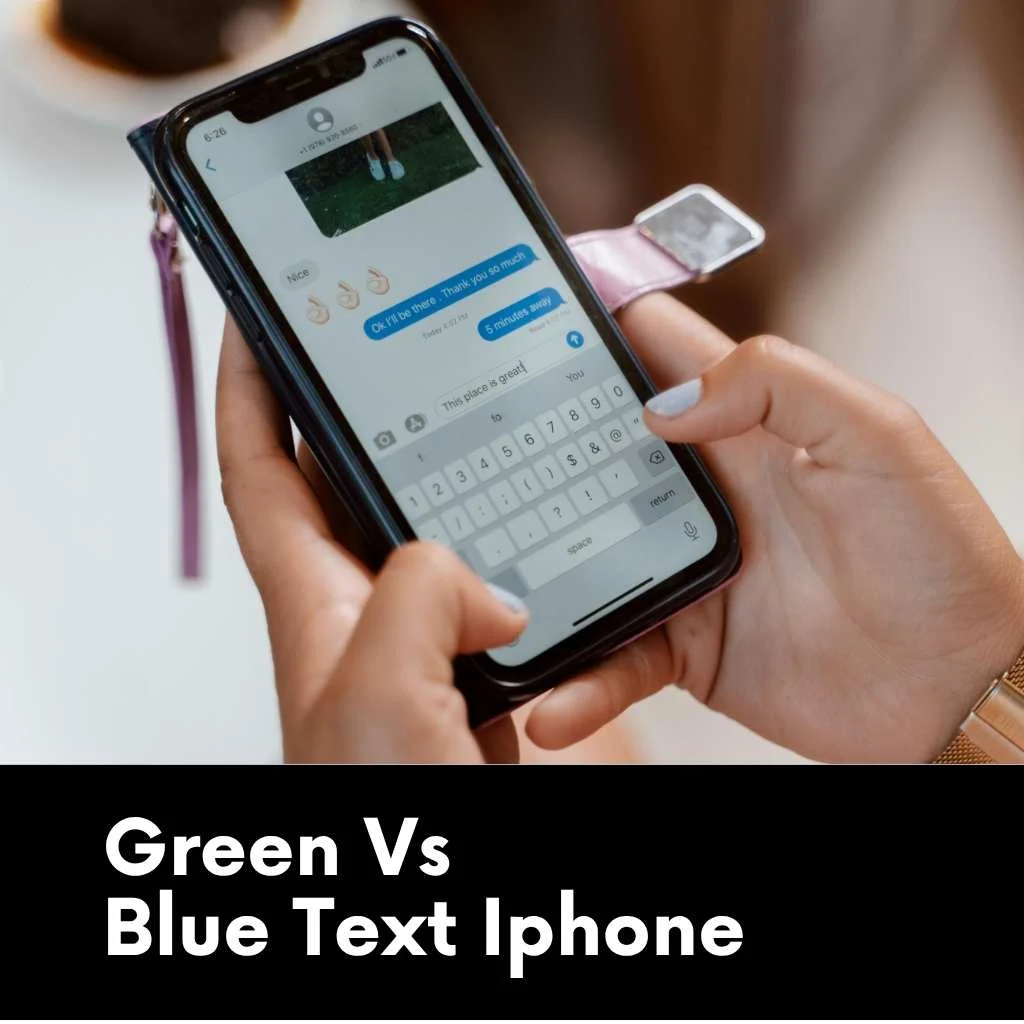
On iPhone, blue text bubbles indicate messages sent through iMessage, Apple’s internet-based messaging service. Green text bubbles represent SMS or MMS messages sent through a cellular carrier. Blue messages support features like read receipts, typing indicators, and high-quality media sharing. Green messages rely on traditional texting technology and may have fewer advanced features. Understanding the difference helps users troubleshoot messaging issues more effectively.
Why Are My Texts Green When Texting Another Iphone How To Fix
If your texts are green when messaging another iPhone user, start by checking that iMessage is enabled on both devices. Make sure Wi-Fi or mobile data is active and working properly. Restarting the iPhone can also resolve temporary software issues affecting iMessage. Updating iOS and verifying Apple ID settings may restore normal functionality. Once iMessage reconnects successfully, messages should return to blue.
How Do You Know If A Green Text Message Was Delivered Iphone
A green text message does not usually display the same delivery status as iMessage. Standard SMS messages often provide limited delivery information depending on the carrier. If no delivery confirmation appears, it does not necessarily mean the message failed. Network conditions and carrier support influence delivery notifications. In most cases, the recipient can still receive the message even without a visible delivery status.
How To Fix Green Messages To Blue On Iphone
To change green messages back to blue, first ensure that iMessage is enabled in your iPhone settings. Verify that both you and the recipient have active internet connections. Signing out of your Apple ID and signing back in can refresh iMessage services. Restarting the device and updating iOS may also resolve connectivity issues. Once iMessage functions properly, eligible conversations should display blue message bubbles again.
Background & Origin
Apple introduced iMessage in 2011 with iOS 5. The goal was to create a messaging system that works over the internet instead of cellular SMS.
To help users easily identify the difference, Apple designed two message colors:
- Blue bubbles = iMessage
- Green bubbles = SMS/MMS
Over time, these colors became part of modern texting culture. People even joke online about the famous “green bubble vs blue bubble” debate.
Usage in Different Contexts
Casual Chats
Most everyday conversations switch to green when texting Android users.
Example:
“Did you watch the match yesterday?”
Nothing unusual — just regular SMS messaging.
Social Media
On platforms like TikTok, green texts often appear in memes about iPhone vs Android texting.
Example meme line:
“Blue bubble energy vs green bubble chaos.”
Professional Use
Green texts may appear in work messages if a colleague uses Android or if internet access is weak.
Example:
“Please check the report before 4 PM.”
Gaming or Group Chats
Gaming groups with mixed devices often default to green text messages.
Example:
“Game starts at 9 tonight. Everyone ready?”
Meanings Across Platforms
| Platform | Tone | Example |
| Neutral | Messages appear the same for all users | |
| Casual | Messaging through DMs | |
| TikTok | Humorous | “Green bubble energy” memes |
| Snapchat | Friendly | Chat-based messaging |
| Discord | Community tone | Used in gaming chats |
Unlike iPhone messaging, these platforms don’t change message color based on SMS vs internet messaging.
Real-Life Examples & Memes
Here are some fun examples you may see online.
Chat Example:
Person 1:
“Why are your messages green?”
Person 2:
“Because I’m texting you from the future.”
Meme-style lines:
- “Blue bubbles start friendships. Green bubbles test them.”
- “Green bubble texts build character.”
These jokes are especially common among Gen Z users.
Cultural or Regional Interpretations
United States / United Kingdom
The green vs blue bubble difference is widely discussed. Some people even associate blue bubbles with iPhone users socially.
Asia (India, Pakistan, Philippines)
Most people rely more on apps like WhatsApp, so the color difference is less important.
Australia
Messaging apps dominate here too, making the green bubble issue less noticeable.
Other Meanings
| Field | Meaning | Description |
| Technology | SMS message | Standard carrier-based texting |
| Apple iMessage | Non-iMessage message | Sent without Apple’s messaging service |
| Mobile Network | MMS message | Used for sending photos or videos |
| Digital Culture | Android conversation | Often associated with texting Android users |
Common Mistakes & Misconceptions
Many people misunderstand green text messages.
Common myths include:
- Green texts mean someone blocked you
- Green messages mean your phone is broken
- Green text means message failed
- Green bubbles mean someone ignored your iMessage
- Green messages mean you are removed from contacts
None of these are necessarily true.
Psychological / Emotional Meaning
Interestingly, people sometimes attach emotional meaning to text colors.
Positive
Just normal texting through SMS.
Neutral
The most common case — simply different messaging technology.
Negative
Some people jokingly associate green bubbles with Android vs iPhone rivalry.
Similar Terms & Alternatives
| Word | Meaning | Tone |
| iMessage | Apple internet messaging | Modern |
| SMS | Traditional texting | Neutral |
| MMS | Multimedia text message | Neutral |
| Chat message | General messaging term | Casual |
Is It Offensive or Friendly?
Green text messages are not offensive at all.
However, some online jokes make fun of green bubbles.
Example:
“Sorry, I only reply to blue bubbles.”
This is mostly humor and not meant seriously.
Grammar or Linguistic Insight
The phrase “green text” has become a slang expression in tech conversations.
Instead of saying:
“Your message was sent through SMS.”
People simply say:
“Your text turned green.”
This shows how technology shapes everyday language.
How to Respond
If someone asks why your messages are green, you can reply casually.
Examples:
- “I think my iMessage is off.”
- “You might be using Android.”
- “Looks like we’re texting through SMS.”
- “Maybe the internet connection dropped.”
- “Let me check my iMessage settings.”
Differences From Similar Words
| Term | What It Means | Key Difference |
| Blue Text | iMessage | Uses internet |
| Green Text | SMS/MMS | Uses cellular network |
| Chat Message | General message | Platform dependent |
| DM | Direct message | Social media messaging |
Relevance in Dating & Online Culture
In modern dating culture, messaging colors sometimes become part of jokes.
On apps like Tinder, people sometimes say things like:
“If your texts turn green, we might have a problem.”
This mostly reflects Gen Z internet humor, not serious preferences.
Messaging apps like WhatsApp and Instagram have reduced the importance of green vs blue texts.
Popularity & Trends
TikTok and social media have made green bubble jokes extremely popular.
Many viral videos compare:
- “Blue bubble relationships”
- “Green bubble friendships”
These trends highlight how technology features turn into internet culture.
When NOT to Use Green Text
There are situations where SMS messaging may not be ideal.
Avoid relying on green texts when:
- Sending large videos or photos
- Communicating in formal business settings
- Sharing important documents
- Messaging internationally (can cost extra)
- Creating large group chats
In these cases, apps like WhatsApp or iMessage work better.
FAQs
Why are my iPhone messages green instead of blue?
Your messages are green because they are being sent as SMS or MMS instead of iMessage, usually due to internet issues or the recipient using a non-iPhone device.
Does green text mean I’m blocked?
No. Green text simply means the message was sent through SMS, not that you were blocked.
Can iPhones send green messages to other iPhones?
Yes. If iMessage is turned off or internet is unavailable, even iPhones will send green SMS messages.
Are green texts more expensive?
Sometimes. SMS messages may count toward your carrier texting plan, especially for international messages.
How do I turn green texts back to blue?
Enable iMessage in Settings → Messages, and make sure both users have internet access.
Conclusion
Seeing green text on an iPhone might seem strange at first, but it’s actually very simple.
It just means your message was sent using SMS instead of Apple’s iMessage service.
Whether you’re texting an Android user, dealing with weak internet, or simply have iMessage turned off, green texts are completely normal.

Leo Matthews is a creative writer who specializes in humor, romance, and modern flirting culture.
With a deep interest in human connections and communication, Leo writes clever, smooth, and fun pickup lines that readers love to use.
His goal is to bring confidence, charm, and a touch of humor to every conversation. Whether it’s cute, bold, or funny.
Leo knows how to craft the perfect line.